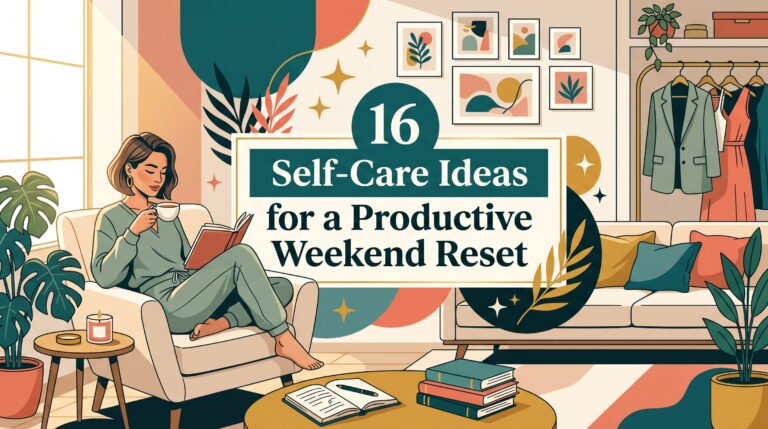
15 Digital Detox Ideas for a Healthier Screen Break
It is easy to reach the end of the day and realize that most of your free time disappeared into a screen. You may open your phone to answer one message, then find yourself scrolling twenty minutes later. Even relaxing at home can start to feel strangely busy when notifications, videos, emails, and apps are competing for your attention.
These 15 digital detox ideas for a healthier screen break are designed to help you create more breathing room without giving up technology completely. You will find simple ways to change your morning routine, create phone free spaces, enjoy hobbies again, and make evenings feel calmer.
You do not need expensive tools or a dramatic weekend without internet. Most of these ideas cost nothing and can be introduced gradually. Start with one or two changes that fit your real schedule. The goal is not to avoid every screen. It is to make your devices feel useful again instead of automatically filling every quiet moment.
1. Start Your Digital Detox With a Phone Free Morning
The first few minutes after waking can set the pace for your entire morning. Reaching immediately for notifications can make the day feel noisy before you have even left the bed. A slower start with soft morning light, fresh cotton bedding, a warm drink, and a few quiet minutes can feel noticeably different.
Keep your phone outside arm’s reach overnight and wait at least twenty to thirty minutes before checking it. Use that time to wash up, make breakfast, stretch, or open the curtains. In my experience, the biggest mistake is creating such a strict rule that you abandon it after one busy morning. Start with a short window and extend it later. This habit costs nothing. A basic alarm clock may cost between $10 and $30 if you normally use your phone to wake up.
2. Create One Screen Free Corner at Home
A designated screen free corner gives you somewhere to sit without automatically reaching for a device. A comfortable chair, textured throw, small lamp, books, and a wooden side table can make the space feel inviting without needing a full room makeover.
Choose one corner of your bedroom or living room and remove chargers, tablets, and unnecessary electronics from that area. Keep a book, notebook, puzzle, or knitting basket nearby so there is something easy to do. What I personally love about this idea is that the environment does some of the work for you. Avoid filling the corner with decorative items that leave no room to actually sit and relax. Rearranging existing furniture is free. A thrifted lamp, basket, or cushion may cost between $10 and $40.
3. Use Digital Detox Ideas During Meals
Meals can become another time for scrolling, especially when you are eating alone. Removing the phone from the table gives you a chance to notice the food, slow down, and let your attention rest. A simple plate, linen napkin, natural wood, and warm light can make even an ordinary meal feel calmer.
Place your phone on a counter or in another room before sitting down. If you live with other people, suggest one screen free meal together each day or week. A lot of people keep the phone face down on the table and still check every vibration. Move it out of reach instead. This habit costs nothing. If you want a small tray or basket near the dining area for devices, expect to spend around $10 to $25.
4. Turn Off Notifications You Do Not Need
Every alert creates a small interruption, even when you do not open the app. A quieter phone screen can make your day feel less reactive and help you decide when you want to check messages instead of being pulled back constantly.
Go through your notification settings and keep only the alerts that matter for safety, work, family, or time sensitive responsibilities. Turn off promotional updates, social media likes, shopping alerts, and other nonessential interruptions. In my experience, the biggest mistake is trying to rely only on willpower while every app is still asking for attention. Change the settings too. This digital reset is free and usually takes less than thirty minutes. Review the settings again in a month if new apps have been added.
5. Replace One Scrolling Habit With a Real Activity
Scrolling often fills small gaps because it is easy and always available. Replacing one of those moments with something equally simple can make the habit easier to change. Reading five pages, watering plants, sketching, folding laundry, or making tea gives your hands and attention somewhere else to go.
Notice when you scroll most often. It may be after dinner, while waiting for coffee, or before bed. Choose one short activity that can fit into that same moment. What I personally love about this approach is that you are adding something enjoyable rather than simply removing your phone. Avoid choosing an activity that feels like another obligation. The goal is a better break. This can be completely free. A puzzle book, paperback, or sketchpad may cost between $8 and $20.
6. Take a Daily Walk Without Entertainment Playing
Walking without a podcast, video, or constant music can give your mind a quieter stretch of time. You may notice the weather, trees, buildings, or sounds around you more clearly when every minute is not filled with content.
Choose a familiar, safe route and walk for ten to twenty minutes without headphones. Keep your phone with you for practical reasons, but leave it in your pocket or bag unless needed. A common mistake is making the walk so long that it feels difficult to repeat. Begin with a short route and let it grow naturally. This habit costs nothing. Comfortable walking shoes are useful if you already need a new pair, but there is no reason to buy special equipment just for a digital break.

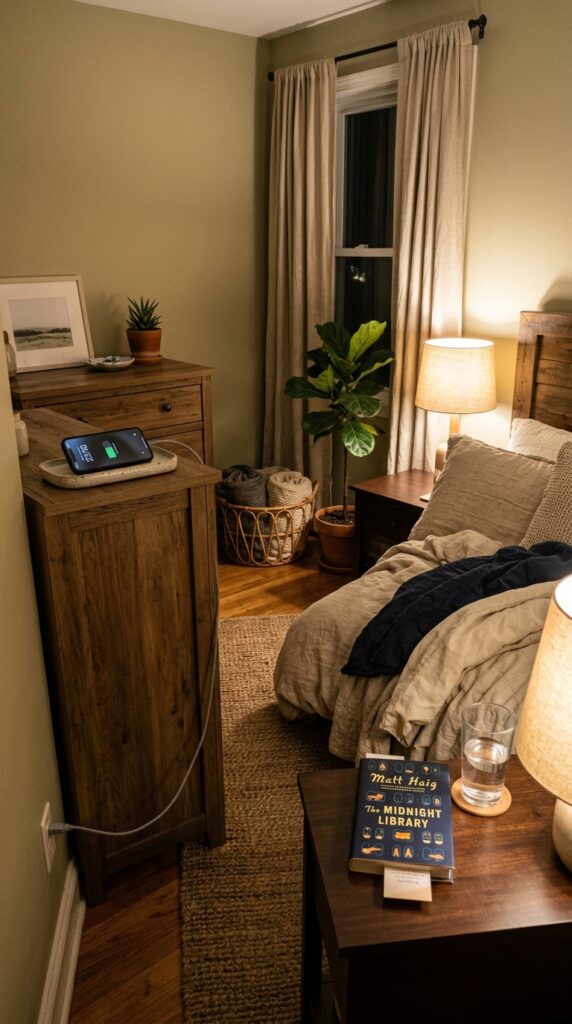
7. Create a Charging Station Away From the Bed
Keeping your phone beside the pillow makes late night checking almost automatic. A charging station across the room can create a small physical boundary between your bed and your screen. The bedside area also feels calmer when it holds only a lamp, book, water, and a few personal items.
Choose a dresser, desk, or shelf several steps away from the bed. Keep the charger there every night and use a basic alarm clock if needed. In my experience, the biggest mistake is placing the phone only a few inches farther away while it remains easy to grab. Make the new location inconvenient enough to interrupt the habit. This setup may cost nothing. A cable organizer or small charging tray can cost between $10 and $30 if you want to keep cords tidy.
8. Try a Screen Free Hour Before Bed
The final hour of the evening can become much calmer when it has a clear rhythm. A warm shower, fresh sleepwear, dim lighting, skincare, journaling, or a book can replace the endless cycle of checking messages and watching short videos.
Choose a consistent time to place your phone on charge and decide what you will do afterward. Keep your alternatives visible so the change feels easy. A lot of people skip this step, but it makes all the difference: prepare the book, pajamas, or journal before the screen free hour begins. Avoid turning the time into another long task list. This habit costs nothing. A small bedside basket for books, hand cream, and journaling supplies may cost between $10 and $30.

9. Give Social Media Specific Check Times
Checking social media whenever you feel a moment of boredom can make it difficult to notice how much time passes. Giving yourself specific windows keeps the apps available without letting them interrupt the entire day.
Choose one or two times when you are comfortable checking social platforms, such as after lunch and early evening. Keep each session short enough that it does not consume the next activity. What I personally love about this method is that it creates boundaries without requiring you to delete everything. Avoid opening the apps outside the chosen windows “just for a second,” since that quickly rebuilds the old pattern. This approach is free. Built in app timers can also help if your phone offers them.

10. Use a Real Book Instead of Your Phone at Night
Reading from a physical book gives your hands something to do while keeping you away from messages and endless links. The texture of paper, warm bedside light, and quiet page turning can make the evening feel slower and more contained.
Keep one easy to read book beside the bed. You do not need to choose something educational or ambitious. Read for ten minutes and stop when you feel tired. In my experience, the biggest mistake is selecting a book because you think you should read it rather than because you actually want to. Interest makes the habit easier to repeat. Library books make this goal free. A paperback may cost between $10 and $25 if you prefer to own it.

11. Plan a Half Day Digital Detox at Home
A half day without unnecessary screens can help you notice which moments automatically trigger phone use. Cooking, cleaning one small area, reading, doing a craft, or spending time outdoors can make those hours feel full without constant digital input.
Choose a four to six hour window on a day with few responsibilities. Tell anyone who may genuinely need to reach you, then keep your phone available for calls while avoiding casual browsing. A common mistake is planning an entire weekend detox before you know how a few hours feel. Start smaller. This idea costs nothing. Prepare food, books, craft supplies, or household projects beforehand so you are not using the phone to decide what to do next.

12. Turn Waiting Time Into Observation Time
Waiting for an appointment, a bus, or a coffee often triggers immediate phone checking. Letting yourself simply sit for a few minutes can feel strange at first, but it gives your attention a genuine pause between activities.
Next time you are waiting somewhere safe, keep your phone in your bag and notice five details around you. Look at the light, architecture, people moving through the space, or sounds you normally ignore. What I personally love about this habit is that it fits into time you already have. Avoid treating observation as another exercise you need to complete correctly. The point is simply not to fill every empty minute. This idea is completely free and requires no equipment.

13. Clean Up Your Home Screen
A crowded home screen filled with social, shopping, and entertainment apps invites constant tapping. A simpler layout makes the phone feel more like a tool and less like a display asking for your attention.
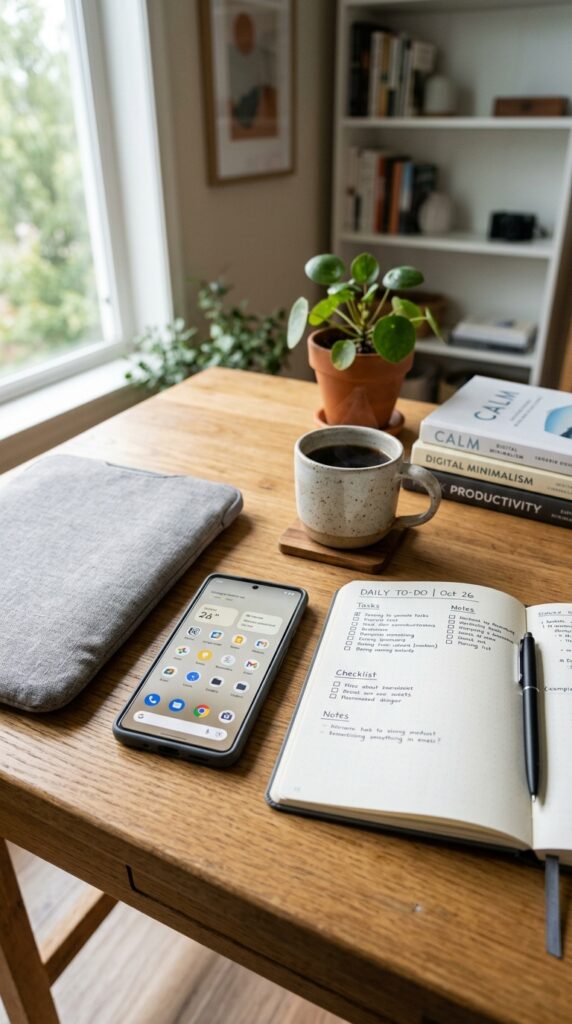
Move distracting apps into folders or onto a later screen. Keep practical tools such as maps, calendar, camera, notes, and communication apps easier to reach. You can also remove widgets that constantly show news or social updates if they encourage checking. In my experience, the biggest mistake is organizing the screen beautifully while leaving every temptation in the same visible spot. Reduce what you see. This reset costs nothing and can usually be completed in fifteen minutes.
14. Create a Screen Free Hobby Basket
A hobby basket makes offline activities as easy to reach as your phone. Watercolors, knitting, crossword books, journaling supplies, embroidery, or a small puzzle can sit beside the sofa ready for evenings when you want something quieter.
Choose one hobby and store only the supplies required for a short session. Keep the basket visible rather than hiding it inside a closet. A lot of people buy too many supplies before the habit exists and end up creating more clutter. Start with what you already have. A simple hobby kit may cost between $10 and $40, though reading, drawing, or collage can cost very little. Choose something enjoyable enough that you naturally want to pick it up.

15. End Your Digital Detox by Reviewing What Actually Helped
A digital detox works better when you notice which changes made your day easier. Some people benefit most from phone free mornings, while others need fewer notifications or a calmer bedtime routine. Your most useful screen boundaries may not look like anyone else’s.
At the end of the week, write down when you felt less distracted and which habit felt realistic enough to continue. Keep one or two changes and let go of anything that created unnecessary stress. I always recommend this when someone wants a change without starting over. Avoid turning screen time into another number you judge yourself by every day. The goal is better attention, not a flawless record. This reflection is free. A notebook may cost between $8 and $25 if you prefer writing by hand.

A Healthier Screen Break Can Start With One Small Change
You do not need to delete every app, stop watching television, or spend an entire weekend offline to create healthier screen habits. Small boundaries often fit everyday life more easily and are much simpler to maintain.
These 15 digital detox ideas for a healthier screen break give you several places to begin. Start with one or two changes that address your biggest problem. Move the phone away from your bed if late night scrolling keeps stretching your evening, or turn off unnecessary notifications if your attention feels constantly interrupted.
Most of these ideas cost nothing. You can use books you already own, take a walk, rearrange one corner, or create a hobby basket from supplies around your home. Let technology remain useful while giving yourself more moments that do not require a screen.
Which digital detox idea would you try first? I’d love to hear what you’re planning.
Frequently Asked Questions
What is a digital detox?
A digital detox is a planned reduction in unnecessary screen use for a set period or part of your routine. It does not have to mean giving up technology completely. Many people simply create boundaries around certain apps, rooms, or times of day.
How long should a digital detox last?
There is no required length. You can begin with twenty minutes, one screen free meal, an evening, or a half day. Short breaks are often easier to repeat than a strict multi day plan.
What can I do instead of scrolling on my phone?
Reading, walking, cooking, journaling, crafting, organizing a small area, calling someone, or enjoying a quiet drink are simple alternatives. Choose activities that are easy to start. Complicated replacement plans can make the phone feel more convenient again.
Should I delete social media during a digital detox?
You do not have to. Setting specific check times, removing apps from the home screen, or turning off notifications may be enough. Deleting an app temporarily can help if those smaller changes are not working for you.
How can I make a digital detox easier at home?
Change the environment rather than relying only on self control. Keep chargers away from the bed, create screen free spaces, and leave books or hobby supplies where you usually scroll. Simple physical changes can make new habits easier to repeat.